More space
 Albert Pedrosa
Photo Mania
MY PORTABLE USB hard drive gave me a good scare few days ago. With projects coming in one after the other, all my buffer space was maxed out. I’m normally keen in following my asset management workflow, but this time, I made some shortcuts and I almost suffered the consequences.
Some of my working files didn’t have backup and one my portable drives started to behave abnormally. When this situation happens, you’d swear to follow your backup procedures and pray to be given a chance to do it right all over again. Sometimes, an experience like this is the best way to teach you a lesson.
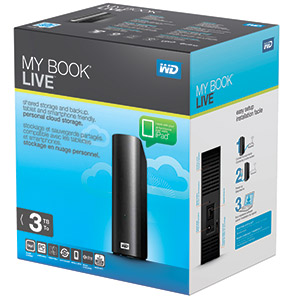
Recently, I purchased a three-terabyte storage WD My Book Live. It’s something I’ve been wanting to add to my workflow. This is a network storage drive that you can access through Wi-Fi and cable network. Note that this is not a portable drive.
My usual workflow after a shoot is to dump all my photos into my desktop computer and another copy to my external backup hard drive. The files in my desktop become my working file. I sometimes share the same working files in my laptop. Once I deliver the photos to my client, the files are then scheduled for burning to DVD quarterly or earlier if we get the opportunity.
The backup external hard drive gets cleaned up after the working files have been archived in DVD. It’s not a very complex workflow and reliability is not 100 percent, but it’s an acceptable workflow. The problem is when you try to access your backup DVD because you are looking for a particular photo that you want to retrieve, you risk the disc getting damaged.
To upgrade my workflow and to add more space for me to accommodate more photos that I’m currently working with, I decided to add a network storage. The drive will hold the photos even if the photos were already archived in DVD. This will allow me to access my archived photos over the network or even through the cloud.
Space means cost. I bought my one-terabyte portable drive last year for P3,500, which was cheaper that the one I bought two years ago. Now you can buy the WD 3-Terabyte Wi-Fi access drive for P4,275 at PRG Photo Shop. The drive has no USB port, so if you want to transfer heavier files, just plug a network cable to your computer instead of using the wireless connection.
Keep on shooting everyone! Shoot your questions at www.grp.ph/forum or email at photomania.sunstar@gmail.com